
-
Products
-
Lighting and Indication
-
Tower Lights
-
CTL50 Continuous Tower Light
Standardize. Visualize. Adapt
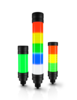
The CTL50 Continuous Tower Light transforms traditional status indication into configurable visual communication. With up to 20 individually controllable cells, the CTL50 helps users standardize on a single platform, visualize more than machine status, and adapt indication schemes to changing machine and process requirements.
- Standardize visual communication across machines and applications with configurable 8-, 12-, and 20-cell models offering up to 20 individually controllable cells
- Adapt appearance as needs change with 14 configurable colors, 17 animations, and adjustable brightness
- Visualize machine status, process values, and operating conditions with built-in Level, Timer, and Counter modes that convert machine and sensor inputs into indication
- Meet the visibility requirements of the environment with diffuse models for a clean, blended appearance and beacon-style models for higher visibility
- Retrofit existing machines and standardize across control architectures using discrete, IO-Link®, and Modbus® models with an integral M12 quick-disconnect connector
- Draw operator attention to status changes with models that add configurable audible alerts to visual indication for alarms, warnings, and process changes
- Install directly in washdown environments with an IP66- and IP69-rated design that needs no additional protective enclosure
CTL50 Continuous Tower Light
How to Choose
Features
5,500+
Segment Diameter
4
Rating
1966
Power
One Platform for Every Application
Standardize
A single CTL50 can be configured as a traditional tower light, a full-length visual indicator, or to dynamically change between the two. Flexible segmentation options, including Traditional Segments, AutoSpan, and Manual Segment Configuration, make it easier to standardize on one platform across different machines, applications, and facilities. By reducing the number of tower light variants required throughout a plant, users can simplify spare parts management, engineering design, and operator training.
More Than Basic Machine Status
Visualize
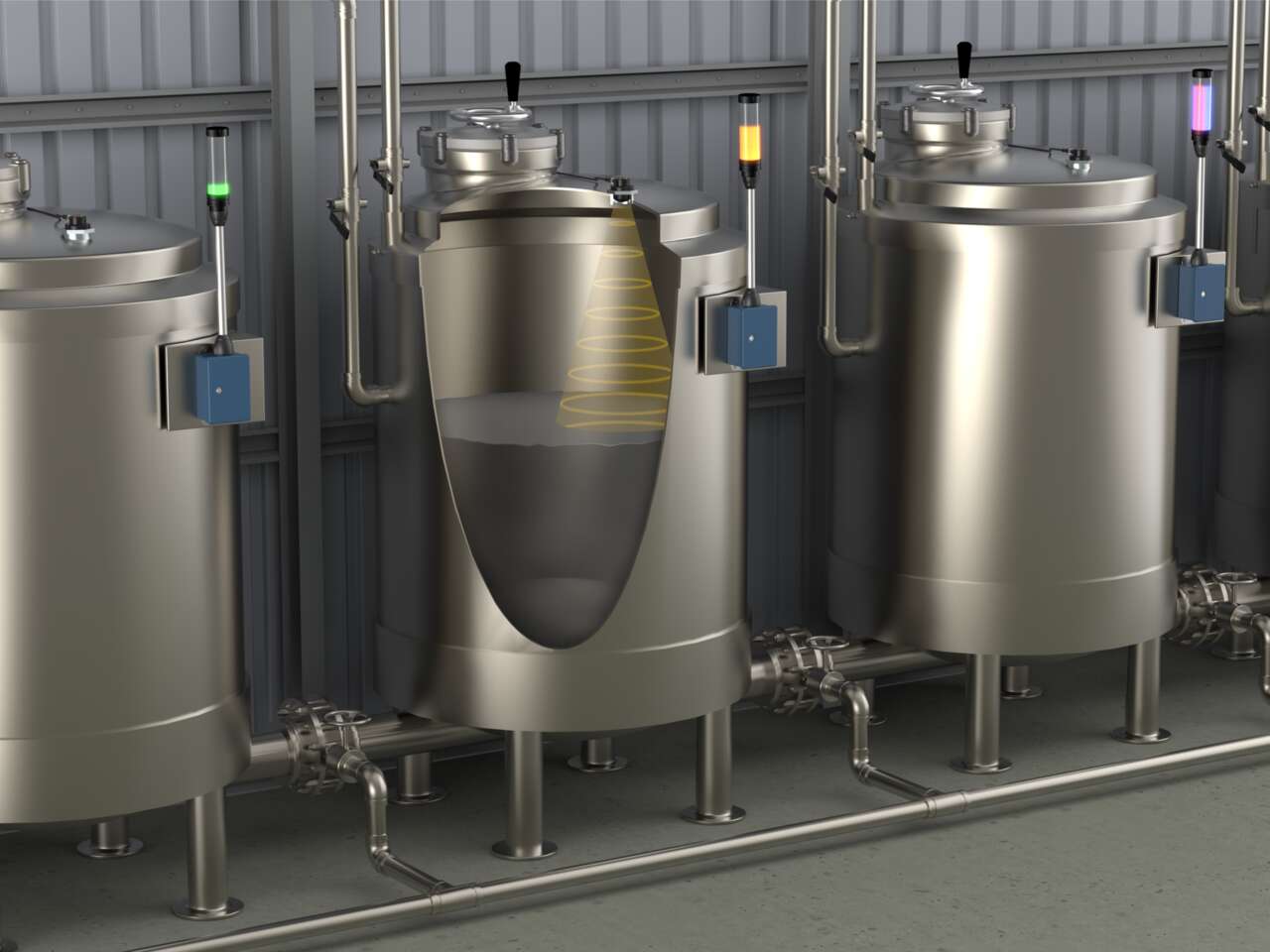
Transform machine and process data into intuitive visual communication. Built-in Level, Gauge, Timer, and Counter modes allow the CTL50 to display tank levels, production progress, operating conditions, and process values directly on the machine. With configurable thresholds, colors, and visual indicators, operators can quickly understand changing process conditions without relying solely on HMIs or control panels.
Configurable to Match Changing Requirements
Adapt
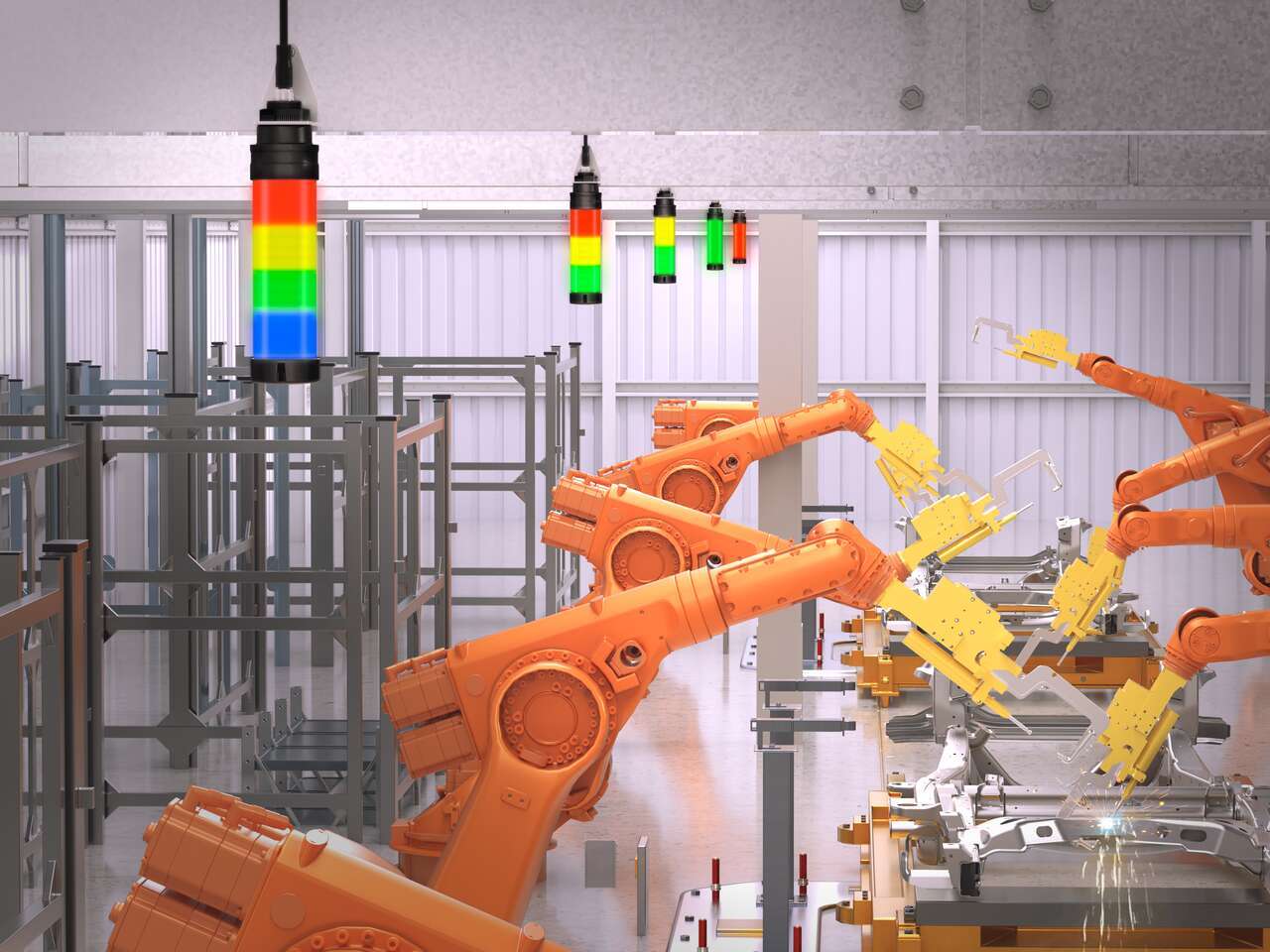
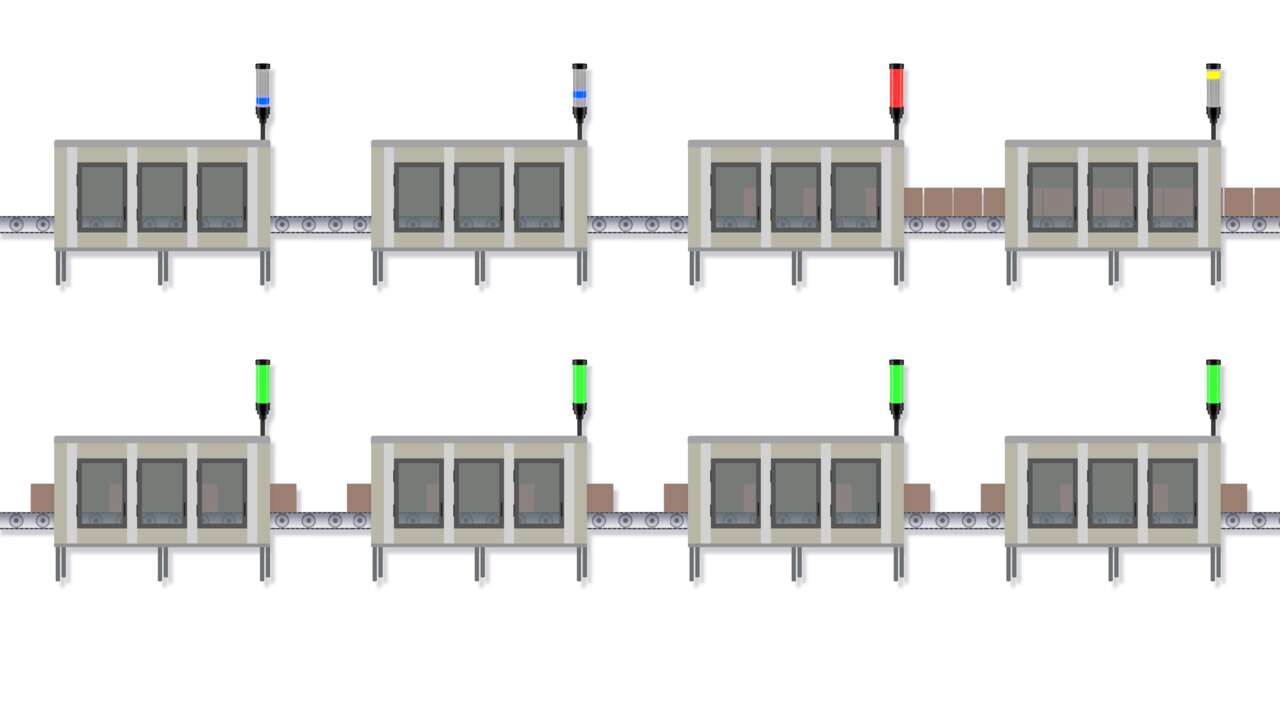
Choose from 14 colors, multiple animation patterns, flexible segment configurations, and audible alert options, to create application-specific indication schemes. Whether communicating machine states, alerts, operator guidance, Andon events, or process conditions, the CTL50 can be adapted to changing requirements through reconfiguration rather than replacement. As applications evolve, the same platform can be reconfigured to deliver the right visual communication exactly where it is needed.
Incomplete Checkout
Share Your Checkout Experience
We noticed you didn’t finish your online checkout. We're dedicated to providing the best shopping experience possible and would love to hear if you faced any challenges. Let us know how we can make your experience even better.
Downloads
Product Selection
-
Reset
What is the difference between cells and segments?
The CTL50 is available in 8-cell, 12-cell, and 20-cell models. Cells are the physical light elements built into the device that determines its visual resolution. Segments are the user-configured indication zones created from those cells to communicate machine status, process conditions, or operator information.
What is AutoSpan and how does it work?
AutoSpan automatically distributes active segments across the available cells in the tower. Instead of manually defining segment sizes, users only configure the segments required for the application. As additional segments become active, the CTL50 automatically redistributes the available cells to maintain a balanced and highly visible appearance.
What are the differences between the 8-cell, 12-cell, and 20-cell models?
All CTL50 sizes support the same operating modes and communication options. The primary difference is the number of cells, which determines the visual resolution available for segmentation, animations, and process visualization.
- 8-cell models divide evenly into 1, 2, or 4 segments.
- 12-cell models divide evenly into 1, 2, 3, 4, and 6 segments.
- 20-cell models divide evenly into 1, 2, 4, 5, and 10 segments.
When a selected segment count does not divide evenly into the available cells, the CTL50 automatically distributes the remaining cells to the outer segments to maintain a balanced appearance.
More cells provide finer visual resolution for animations, custom segment layouts, levels, gauges, and other visualization functions, while fewer cells provide a more compact indication platform.
Can the CTL50 replace a traditional tower light?
Yes. The CTL50 can be configured to emulate traditional tower lights while providing additional flexibility through AutoSpan™, Manual Segment Configuration, animations, and advanced operating modes. This allows users to standardize on a single platform across multiple machines and applications.
How can Banner Engineering tower lights be customized?
Banner Engineering provides options for customizing tower lights, including a choice of AC or DC supply power, various modes of operation, and segmented or pre-assembled lights. Banner's Pro Editor software makes it easy for operators to customize colors, audible alarms, and flash patterns.
Discrete models support up to 7 configurable segments, making them ideal for replacing traditional tower lights while maintaining familiar PLC-based control.
IO-Link® and Modbus® models support direct control of individual cells, allowing all available cells to be independently configured. Depending on the model, this provides control of up to 8, 12, or 20 individual cells for advanced segmentation, process visualization, custom animations, and dynamic indication schemes.
Whether configured as a traditional tower light, a full-length indication column, or a high-resolution visualization device, the CTL50 can adapt to the application's communication architecture and visual communication requirements.
What is the difference between Level Mode and Gauge Mode?
Level Mode displays a process value as a proportional fill level across the tower. Typical applications include tank levels, hopper levels, accumulation monitoring, and production progress.
Gauge Mode displays a movable indication band whose position corresponds to a process value. Typical applications include position indication, alignment monitoring, tracking, and dynamic process visualization.
What is the difference between the Discrete, IO-Link®, and Modbus® versions?
The CTL50 is available in Discrete, IO-Link®, and Modbus® versions. All three provide access to the CTL50's visual communication capabilities, but the methods of configuration and control differ.
- Discrete models support direct PLC and machine I/O control and are configured using Banner Pro Editor software. Discrete models include dedicated operating modes such as Tower Light, Level, Gauge, Timer, Counter, Pulse Control, Segment, and Advanced Segment modes. Discrete models support up to 7 configurable segments.
- IO-Link® models support remote parameterization, diagnostics, and process data communication. In addition to traditional segment layouts, IO-Link models support direct control of individual cells, allowing all available cells to be independently controlled. Depending on the model, this provides control of up to 8, 12, or 20 cells. Dedicated modes such as Segment, Advanced Segment, Run, Level, Gauge, and LED modes are available through the IODD.
- Modbus® models provide networked control for centralized automation systems. Like IO-Link models, Modbus supports direct control of individual cells for advanced visualization, custom segmentation, and dynamic indication. Functionality such as timers, counters, and other advanced visualizations can be implemented through Modbus process data and register control.
This allows users to select the communication architecture that best fits their application while maintaining a common visual communication platform across machines and facilities.
Quick Comparison
| Feature | Discrete | IO-Link® | Modbus® |
|---|---|---|---|
| Traditional tower light replacement |
✅ | ✅ | ✅ |
| Up to 7 configurable segments |
✅ | ✅ | ✅ |
| Individual cell control | — | ✅ | ✅ |
| Up to 20 independently controlled cells |
— | ✅ | ✅ |
| Custom Colors | 14 Pre-Configured Colors |
Via process data |
Via Register control |
| Built-in Timer Mode | ✅ | Via process data |
Via register control |
| Built-in Counter Mode | ✅ | Via process data |
Via register control |
| Remote parameterization | — | ✅ | Limited by controller implementation |
| PLC I/O control | ✅ | ✅ | ✅ |
What is the difference between Diffuse and Beacon models?
Diffuse models provide a smooth, blended appearance that is ideal for process visualization, levels, and modern machine designs.
Beacon models use a clear lens to maximize visibility at longer distances and are often preferred for machine status indication, alarms, and large production environments.
How many colors, animations, and audible tones are available?
The CTL50 supports:
- 14 preconfigured colors
- Custom color capability (IO-Link & Modbus only)
- 17 animation styles
- Adjustable brightness levels
- Audible models with multiple selectable audio patterns and volume settings
These options allow users to create application-specific visual communication schemes for machine status, process monitoring, alarms, and operator guidance.
Is the CTL50 suitable for washdown and harsh environments?
Yes. The CTL50 is available with IP66 and IP69 ratings, making it suitable for harsh industrial environments, including applications with dust, moisture, high-pressure washdown, and demanding cleaning procedures. The sealed design allows the device to be installed directly on machines without requiring an additional protective enclosure.
Can I use the CTL50 with an existing 5-pin tower light cable?
Yes. The CTL50 can be used with an 8-pin to 5-pin M12 adapter cable or pigtail by mapping the corresponding pins and wire colors between connectors. This allows many existing tower light installations to be upgraded without completely rewiring the machine.
When using a 5-pin connection, the available inputs are reduced compared to a full 8-pin connection. In Pro Editor, this limits Traditional Segment Mode to 1-, 2-, or 3-segment configurations. When using AutoSpan™, up to 4 segments can be configured.
CTL50 8-Pin to Standard 5-Pin Mapping
| CTL50 Pin # | Wire Color | 5-Pin Pin # | 5-Pin Wire Color |
|---|---|---|---|
| 3 | Green | N/A | N/A |
| 8 | Red | N/A | N/A |
| 4 | Yellow | 5 | Gray |
| 5 | Gray | N/A | N/A |
| 1 | White | 2 | White |
| 2 | Brown | 1 | Brown |
| 6 | Pink | 4 | Black |
| 7 | Blue | 3 | Blue |
Have a Technical Question?
Our application engineers are here to help with expert guidance and support. Send us your inquiry, and we’ll get back to you as soon as possible. We’re here to make sure you get the answers you need.