-
Products
-
Lighting and Indication
-
Touch Buttons
-
OTB Series Optical Touch Buttons
Optical Touch Buttons
OPTO-TOUCH Optical Touch Buttons are zero-force ergonomic replacements for mechanical push buttons.
Momentary-action touch buttons with electromechanical relay or solid-state outputs.
OTB Series Optical Touch Buttons
Applications
-
With the all-in-one unit, the emergency stop pushbutton combined with an OTB provides a simplified operator station for manufacturing lines that does not require wiring or additional enclosures. Banner’s 30 mm mount E-Stop buttons work well in this type of application. Their illuminated base turns from yellow to flashing red when actuated, making them compliant with emergency stop requirements. The proximity of the emergency stop button to the OTB means workers can quickly and easily actuate
-
A Henshaw customer manufactures drivetrain and powertrain systems for the automotive industry. The company had experienced productivity losses due to errors in the assembly of transmission valve bodies. Henshaw was tasked with developing a system that would reduce errors and improve the assembly process.
-
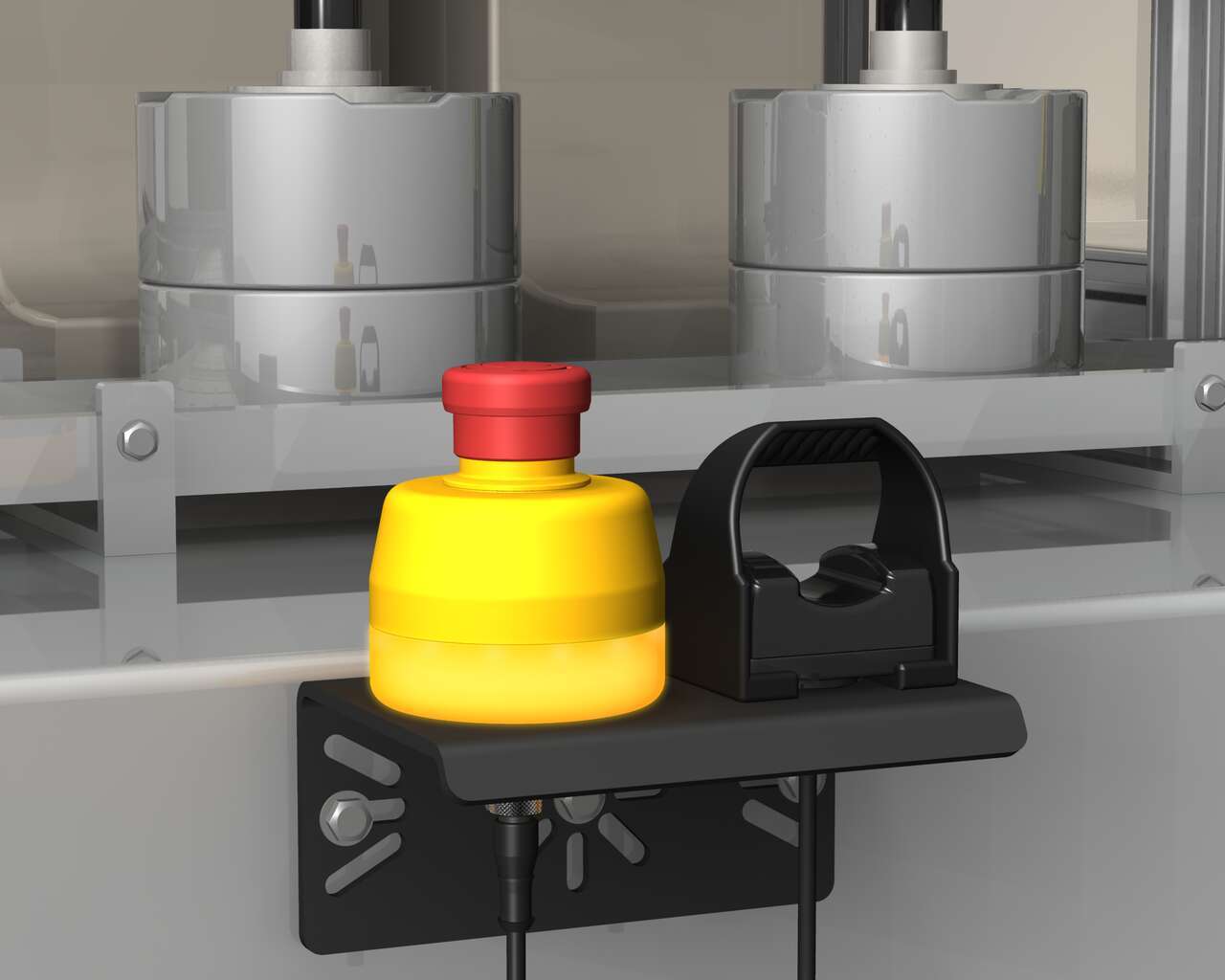
Optical Touch Button and Emergency-Stop Operator Station
With the all-in-one unit, the emergency stop pushbutton combined with an OTB provides a simplified operator station for manufacturing lines that does not require wiring or additional enclosures. Banner’s 30 mm mount E-Stop buttons work well in this type of application. Their illuminated base turns from yellow to flashing red when actuated, making them compliant with emergency stop requirements. The proximity of the emergency stop button to the OTB means workers can quickly and easily actuate
-
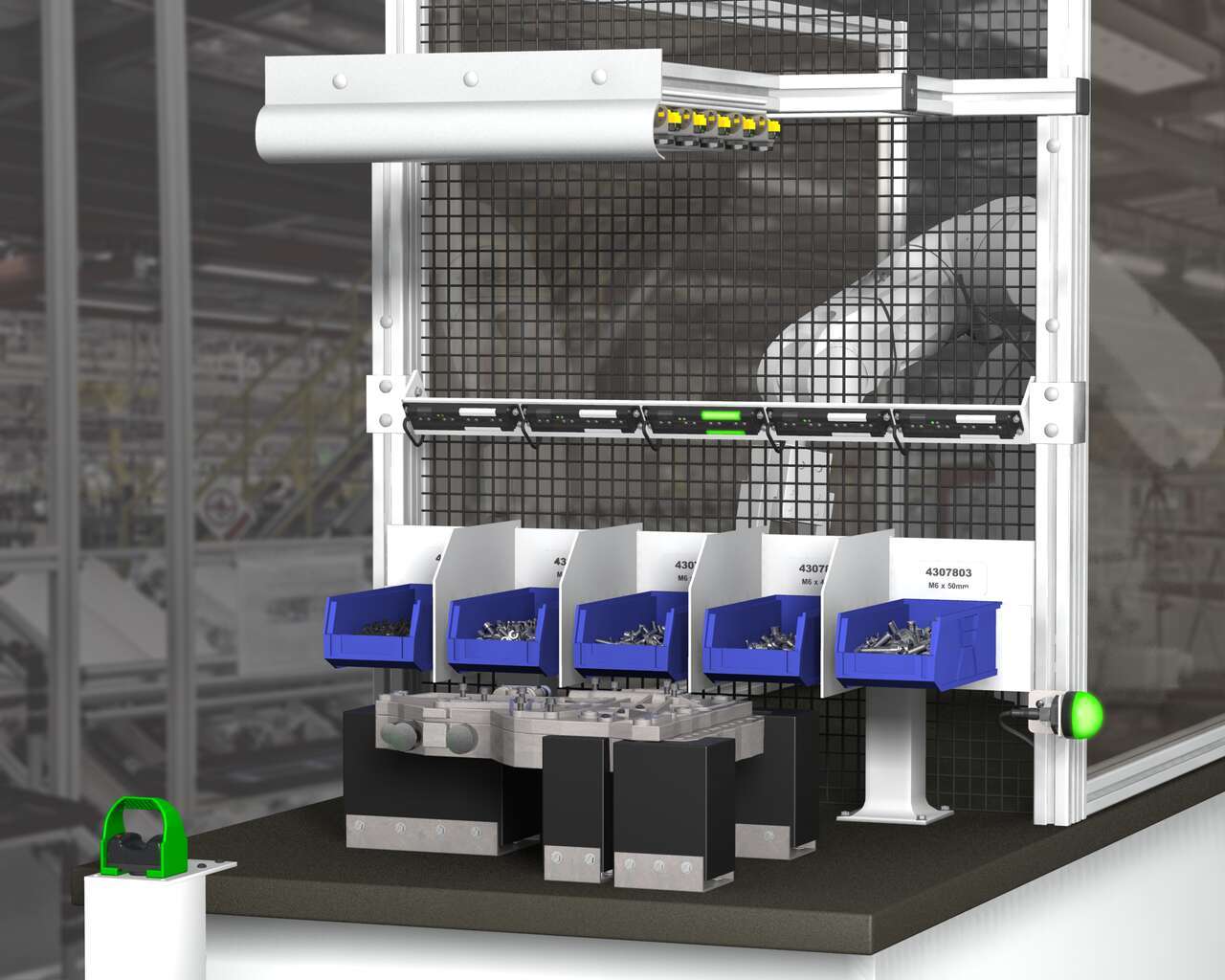
Operator Guidance Solution
A Henshaw customer manufactures drivetrain and powertrain systems for the automotive industry. The company had experienced productivity losses due to errors in the assembly of transmission valve bodies. Henshaw was tasked with developing a system that would reduce errors and improve the assembly process.
Incomplete Checkout
Share Your Checkout Experience
We noticed you didn’t finish your online checkout. We're dedicated to providing the best shopping experience possible and would love to hear if you faced any challenges. Let us know how we can make your experience even better.
Downloads
English Documents
English Documents
Product Selection
How-to: Advanced Table Functionality
Arrange column order by dragging and dropping the column header left/right with your mouse.
Sort items in a column by ascending values by clicking the table header once. Click a second time to sort by descending order. Click a third time to remove the sorting for that column.
Shift-click additional column headers to sort by multiple attributes. The first column you sort becomes the primary sort, and each Shift-clicked column adds a secondary level of sorting.
-
Reset
Have a Technical Question?
Our application engineers are here to help with expert guidance and support. Send us your inquiry, and we’ll get back to you as soon as possible. We’re here to make sure you get the answers you need.