-
Products
-
Remote I/O
-
IO-Link Hubs
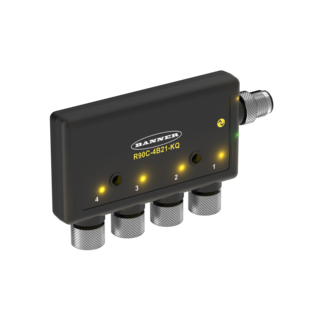
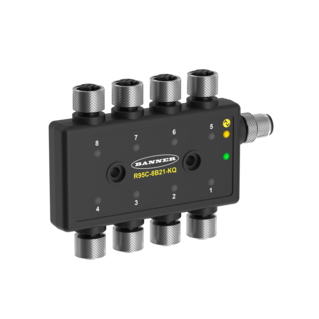
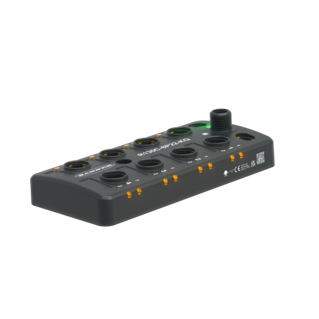
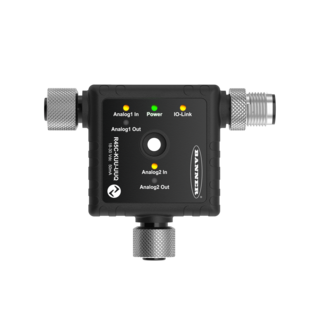
Banner's compact, cost-efficient IO-Link hubs simplify the integration of discrete and analog signals into an IO-Link system, reducing wiring complexity and installation time. With industry-standard M12 connectivity, these hubs eliminate the need for additional I/O modules or excess wiring by connecting multiple devices, including PNP and NPN sensors, through a single cable to an IO-Link Master.
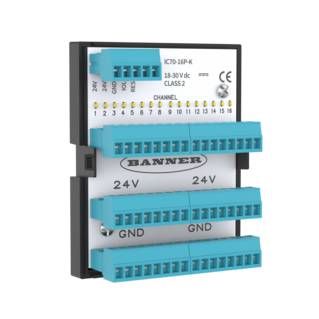
- Easily integrate up to 16 non‑IO‑Link signals (e.g., discrete photoelectric sensors) into a single IO‑Link datastream for connections to an IO-Link Master
- Side-exit, top-exit, and in-cabinet models available to accomodate nearly any application
- IP-rated models offer plug-and-play installation via industry standard M12 QD connections
- In-cabinet models offer a compact, DIN rail mountable housing that frees up cabinet space
- Built-in smart features such as delay timers and port mirroring help simplify PLC logic
IO-Link Hubs
Integrate Standard Devices into Your IO-Link System
Banner's IO-Link Hubs come in durable and compact from one to eight-port housings. The input and output ports can each be customized individually, which allows users to integrate multiple discrete or analog signals into one IO-Link communication channel easily and cost-effectively. IO-Link Hubs simplify wiring and minimize errors, because they use standard M12 connectivity and require only one connection for signal transmission and power supply.
Easily Add Discrete Sensors to IO-Link Networks
The IO-Link Hubs feature either four or eight input ports with two discrete channels each (either PNP or NPN). These inputs can be routed to a single M12 interface port on the IO-Link Hub with a splitter. In addition to bringing in discrete signals, users also have the ability to drive an NPN or PNP output from each of the ports. Users can start with a single IO-Link Hub and add further hubs as they scale up operations.
Uses Standard M12 Cordsets
To maximize efficiency, reduce costs for end users, and simplify installation, the IO-Link Hubs use industry-standard M12 cordsets. Unlike traditional discrete-input junction blocks, which often use a bulky homerun connector for connecting to a higher level control system, Banner IO-Link Hubs use a standard three-pin M12 cable for connection to an IO-Link Master. Standardizing on M12 connectivity helps eliminate wiring and pinout mistakes, ensures much faster installation times, and allows users to standardize on more cost-effective and readily available cabling for transmitting discrete signals.
Provides Clear and Immediate Status Indication
Easily visible LEDs for each input port on the Hubs directly show the status of the incoming discrete signals.
Saves Space with a Compact, Stackable, and Rugged Design
The IO-Link Hubs are designed to be small, unobtrusive, and convenient. The Hubs can consolidate eight or sixteen discrete input devices into a single IO-Link communication channel, all while staying neatly out of the way. Their housings are built tough, with IP65, IP67, and IP68 certification. Users who require more discrete inputs or outputs in one location can combine multiple Hubs. Banner IO-Link Hubs are designed with centralized mounting holes and ports on the outside edges, so that the Hubs can be “stacked” in layers. This allows users to manage a significant amount of IO with a uniquely small footprint.
Incomplete Checkout
Share Your Checkout Experience
We noticed you didn’t finish your online checkout. We're dedicated to providing the best shopping experience possible and would love to hear if you faced any challenges. Let us know how we can make your experience even better.
Downloads
English Documents
Product Selection
How-to: Advanced Table Functionality
Arrange column order by dragging and dropping the column header left/right with your mouse.
Sort items in a column by ascending values by clicking the table header once. Click a second time to sort by descending order. Click a third time to remove the sorting for that column.
Shift-click additional column headers to sort by multiple attributes. The first column you sort becomes the primary sort, and each Shift-clicked column adds a secondary level of sorting.
-
Reset
Have a Technical Question?
Our application engineers are here to help with expert guidance and support. Send us your inquiry, and we’ll get back to you as soon as possible. We’re here to make sure you get the answers you need.