Banner Engineering is committed to providing detailed technical content and educational material about our industrial wireless I/O network devices.
The following FAQs/Knowledgebase contents include some instructions about integrating SureCross products with other products and some example network configurations using the User Configuration Tool (UCT). Some questions are answered directly and some questions are answered using a one- to two-page Technical Note.
Finding Information • Basic Radio Functions • Network and Data Security • Product Specific Questions • Device Parameters • Wiring • Configuration Examples • MultiHop Radios
The SureCross Wireless Glossary of Terms defines many basic radio and Banner SureCross terminology used in product documentation.
How do I find data sheets for Banner’s SureCross product line?
| All data sheets are available for download from Banner Engineering’s website. Data sheets are located on the same page as the product model numbers and I/O specifications. A printed copy of the data sheet, as well as a CD of the complete document set, ships with each product. The most recent version of this data sheet will always be available online. |
Follow this link to access the interactive SureCross brochure, which also contains links to product datasheets and application notes.
What countries can use Banner’s SureCross radios?
Banner Engineering maintains a list of all countries certified to use the SureCross radio products. For the most updated list, refer to the Literature Library on the Wireless section of www.bannerengineering.com.
Where are the 3D models of these products?
Models for the SureCross products are available on this website, under 3D Models on the Wireless Sensor Networks menu.
How can I get copies of the CSA or ATEX certificates?
The CSA and ATEX certificates of compliance are available in the Wireless section of Banner’s website, on the Classified Areas product pages. If you have any questions about a certificate, please contact your Banner regional business center and ask to speak to an application engineer. To clarify the certifications, we created a document that lists all CSA and ATEX certifications by model, defines the environments, and explains the codes used on ATEX certificates. |
Where can I find the control drawings for the products certified for hazardous locations?
All control drawings are posted online in the Classified Areas section of the Wireless products website.
Do you have a list of the cables typically used with the SureCross products?
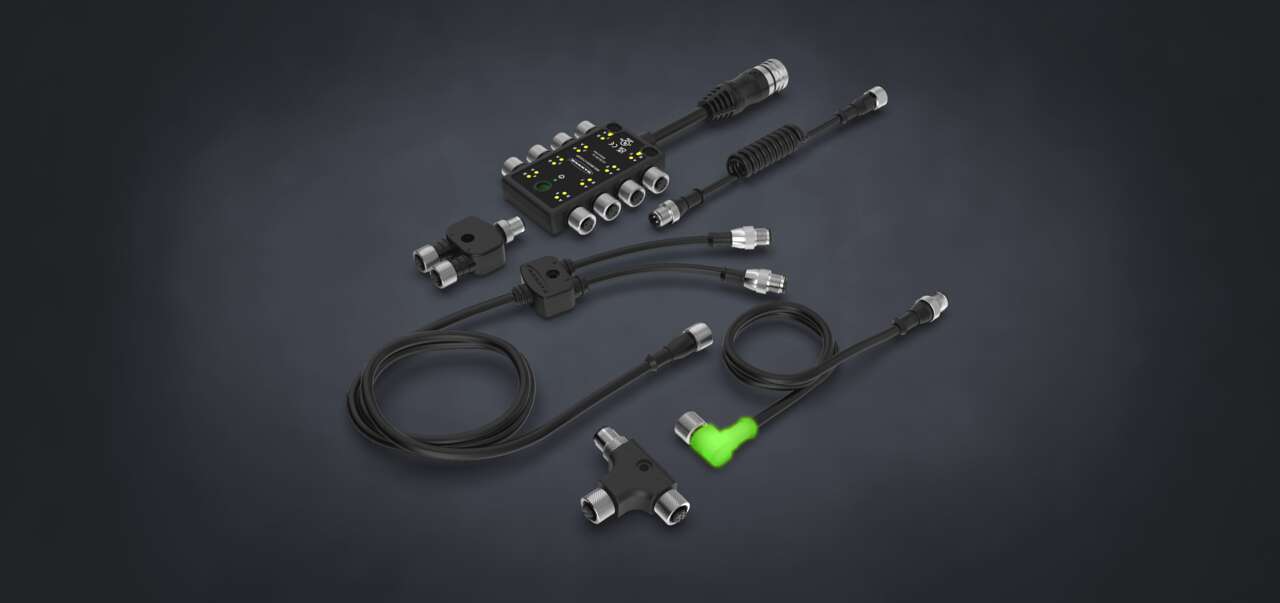
| Yes. For more details about some of the cables typically used with the SureCross wireless products, download the Wireless Cables technical note. |
What are the differences between 900 MHz and 2.4 GHz radios?
Though both frequency ranges are in the unlicensed Industrial, Scientific, and Medical (ISM) bands, there are performance differences between the two ranges.
Radios using 900 MHz typically have a greater range and a greater ability to penetrate obstacles, making 900 MHz a better solution for industrial environments. Radios using 2.4 GHz can transmit data packets faster and at a lower transmission rating so the radios require less power to transmit the same size data packet.
North America typically uses 900 MHz while 2.4 GHz is used globally.
Why do the DX80 Gateways and Nodes use a star topology?
Some of the basic network topologies include point-to-point, bus, star, and mesh. To maximize data throughput and network response time, Banner uses the star topology for its wireless network. |
What is the difference between TDMA and Contention-based architecture?
Time Division Multiple Access (TDMA) provides a specific communication time slot for each device on the network, ensuring devices do not conflict with each other. A contention-based architecture allows all devices on a network access to the communications channel at once, leading to transmission/data collisions. Read this one-page definition of TDMA and Contention radio network architecture for a basic understanding of the two architectures.
What is the difference between FHSS and DSSS?
Frequency Hop Spread Spectrum and Direct Sequence Spread Spectrum are the most commonly used radio communication technologies. Read this brief definition to understand what the differences are and why FHSS is the best option for high-interference industrial environments.
How is the master/slave network different from a peer-to-peer network?
Master/slave and peer-to-peer communication models differ primarily in how and when devices are allowed to communicate. To prevent data loss, the SureCross wireless network radios use a master/slave communication model.
Which type of antenna do I use: omni-directional or directional?
Two types of commonly used antennas are omni-directional antennas (omnis) and direction antennas (typically called Yagi antennas). Read this brief, one-page definition of these two antenna types. To comply with FCC regulations, choose an antenna from the list of Banner’s accessories (print and online). |
We have created a spreadsheet to help you select the proper antenna for your wireless network. Download the Antenna Gain Calculator to help you select the antenna, necessary cables, and the surge suppressor.
How can I protect my radios from lightning?
Remote antenna configurations installed without surge suppressors invalidate the Banner Engineering Corp. warranty. Surge suppressors mount between the antenna and the radio system to protect the electrical equipment from damage during a lightning strike or other electrical surge. However, no surge suppressor can absorb all lightning strikes. |
Always keep the ground wire as short as possible and make all ground connections to a single-point ground system to ensure no ground loops are created. For more information about installation, refer to the Antenna Basics chapter of the product manual, Banner part number 132607.
Can I install multiple SureCross Wireless networks without interference?
To prevent networks from interfering with each other, the Gateway and all its Nodes exchange a binding code that prevents radios outside the network from communicating with the Gateway. Additionally, Nodes and Gateways can be configured for multiple channel hop patterns to eliminate data collisions.
How far apart should my radios be installed? Is collocation a problem?
When the radio network’s master device is located too close to another radio device, communications between all devices is interrupted. For this reason, do not install a Gateway device within two meters of another Gateway or Node.
Why should I use Banner’s proprietary protocol?
Using a proprietary protocol provides a high level of security. Data security is far more of a concern when using open protocols. With an open protocol and no security encryption, anyone using that protocol can intercept and monitor your data. Widely used open protocols such as Wi-Fi have serious security issues. Even a high degree of encryption may not protect your data. It is common for new encryption schemes to be hacked within months of implementation.
Proprietary systems are more difficult to hack than an open standard. Banner Engineering Corp. developed a communication method that gives SureCross the ability to carry only I/O data signals between Nodes and Gateways.
How do I know my data is secure?
Data security is defined as reliably protecting your SureCross network sensor data from interception by hackers. Banner achieves data security by using a proprietary protocol, pseudo-random frequency hopping, and generic data transfer. The SureCross protocol only carries I/O data, making it impossible for a malicious executable file to be transmitted. This protocol does not operate like an open protocol such as WiFi and is not subject to the risks of an open protocol. SureCross also uses pseudo-random frequency hopping and generic data transfer without context to ensure signal integrity.
|
Will Banner's wireless systems work with our existing 802.11 (Wi-Fi) network?
Yes, it will work exceptionally well. The Banner wireless system can be installed within any existing 802.11b environment. The low data rates and narrow frequency band of the Banner wireless system make it almost silent to the existing 802.11b infrastructure. The long-range characteristics of the Banner wireless system offer significant advantages in system layout over 802.11b. For more information, please refer to the Using Banner's SureCross Wireless Products in a 802.11 (Wi-Fi) Environment technical note.
How far will the signal go?
Banner’s wireless network is designed for long distance applications and is specified up to three miles line of sight. To verify range, Banner integrates a Site Survey tool that displays real-time signal quality results without disrupting the flow of I/O data. In most cases, a combination of hardware selection and proper device placement will allow for a successful installation.
The Product Manual includes a list of installation tips and tricks to help you improve your radios’ performance.
Are the SureCross radios meant to be operated indoors? Or outdoors?
All radios can operate either indoors or outdoors. Refer to the product data sheets for the temperature specification and IP rating for each product.
Can SureCross products be installed in secondary enclosures?
Yes, all SureCross radios can be installed in enclosures, but the antenna should be mounted outside the enclosure. When using a secondary enclosure, refer to the Antenna Basics document for installation recommendations.
|
What are the advantages of a deterministic system?
Determinism is the ability to predict and control network behavior by establishing default states for specific conditions. For example, users can configure an output to close or shut down if the radio signal is lost. As soon as radio communications resume, the network resumes normal operation.
How long will the battery last in a FlexPower application?
The single-cell DX81 Battery Module life varies based on the application. The Power Solutions and Battery Life document (Banner p/n 140386) lists some sensors that have been evaluated for use with the FlexPower Nodes. However, the sample and report rates used in your network configuration will affect the battery life. The slower the sample and report rates, the longer the battery will last. Depending on the sensor and configuration of your devices, your battery or battery pack can last anywhere from several months to more than 10 years.
|
For sensors not included in the Power Solutions document, Banner Engineering sells a cable that can be used to help you estimate the current draw of your sensor when the sensor is powered on and off. Remember, most manufacturers assume a constant power to their sensor. The power consumption values you measure after your sensor is cycled on and off may differ from any power consumption values published in the manufacturer’s literature.
Contact an application engineer for more information about your application.
Do you have explosion-proof products?
No. The SureCross DX99 product line is classified as Intrinsically Safe (IS) and is certified for a variety of hazardous locations. Each product data sheet lists the specific certifications for the products. For a list of products, refer to the Classified Areas section of Banner’s Wireless Products website.
What types of inputs and outputs do you offer?
Banner’s wireless products are available in a several combinations of discrete, analog, temperature, counter, and serial inputs and discrete and analog outputs. For a complete list of all SureCross products, refer to the Wireless I/O Products section of Banner’s website. If a particular combination of I/O isn’t listed, contact your Banner regional business center for a quote on a custom product that fits your needs.
|
How scalable is the SureCross Wireless Network? Is there an easy way send signals point-to-point?
SureCross Wireless offers a comprehensive family of industrial wireless I/O solutions. The DX70 radios are designed for simple point-to-point wire replacement applications. The DX80 Wireless network offers a Gateway that supports multiple host communication protocols and up to 47 Nodes. Data radios can be used to expand the range of a network.
Can I use SureCross for control applications? What type of throughput times can I expect?
SureCross wireless is used for control applications and is deterministic based on its communication method within a pre-defined bandwidth. Determinism is the ability to predict and control network behavior by establishing default states for specific conditions. Using TDMA provides a specific time slot for each device on the network. Typical throughput times are in the 125 to 250 millisecond range for discrete signals.
What are Gateways and Nodes?
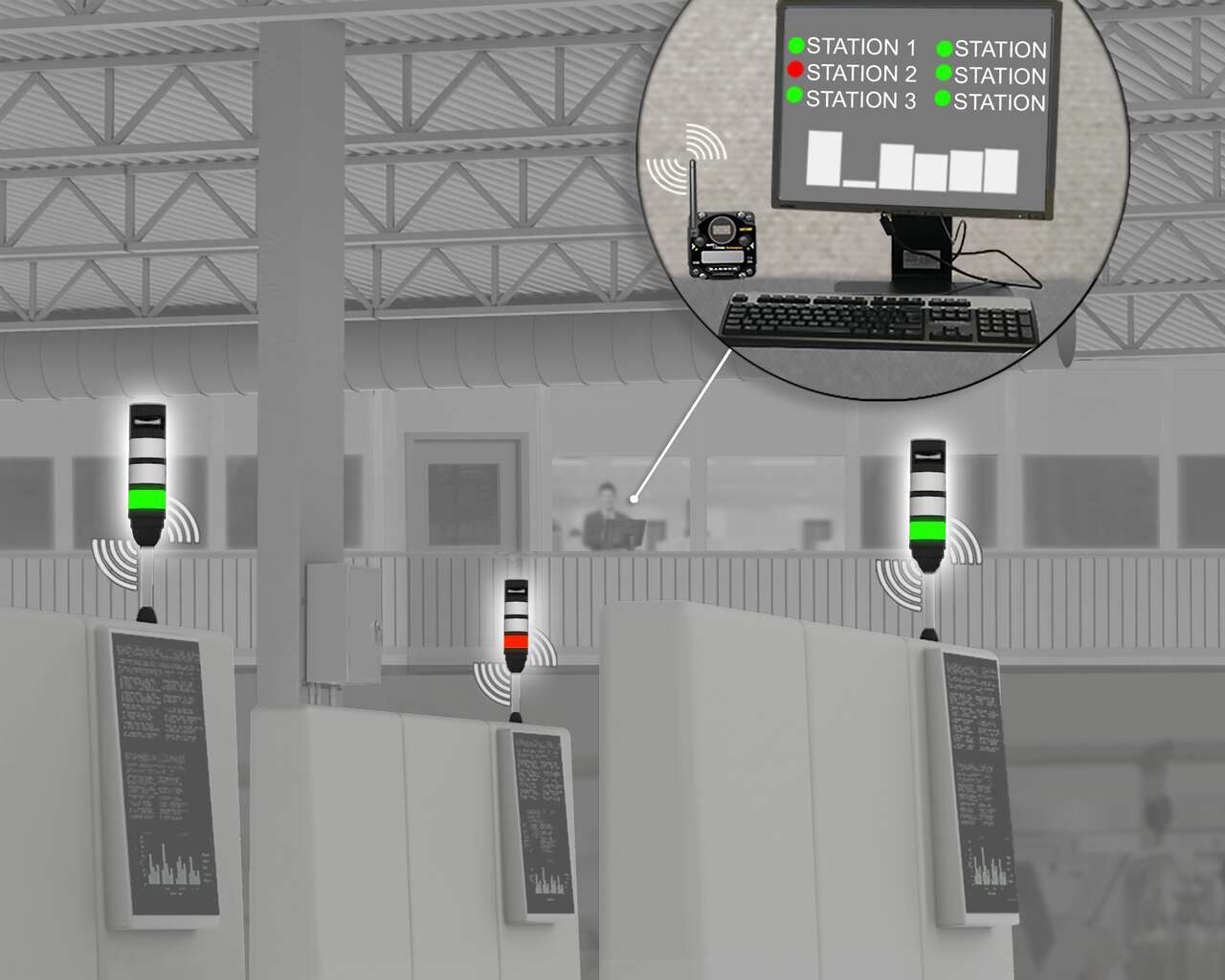
Gateways and Nodes make up a wireless network. The Gateway is the master device and the Nodes are the slave devices that collect data and transmit it back to the Gateway.
|
What is FlexPower?
FlexPower devices can be powered from either 10-30V dc, battery modules, or solar panels. Read this technical note for a more detailed explanation of FlexPower and the advantages it offers your wireless network.
|
Why is Banner's temperature and humidity sensor special?
The temperature and humidity sensor works with the FlexPower Nodes with Serial Interface. This sensor is optimized for efficient power use.
|
Can I use a 4-20 mA sensor with the 0-20 mA analog inputs?
Yes. When using a 4-20 mA sensor with a 0-20 mA input, the sensor uses the 4-20 mA section of the total range. Using a 4-20 mA with a 0-20 mA input allows you to determine when you have an error condition with the sensor. A normal input reading between 4 and 20 mA indicates a functioning sensor whereas a value below 4 mA indicates an error condition, such as a broken wire or loose connection.
Some DX80 SureCross devices allow you to configure the analog inputs and outputs to use either 0-20 mA or 4-20 mA. For a one-page technical note on this topic, download the Using 4-20 mA Sensors with 0-20 mA Analog I/O document.
What is heartbeat mode and how is it different from polling?
Polling is a message that originates from the Gateway to Nodes. When a Node receives a polling message, it is expected to immediately respond to the Gateway, indicating the link is operational. There are no retries on a polling message, just a single attempt of communication between the Gateway and Node.
Heartbeat mode is driven by the Node. The Node sends a heartbeat message to the Gateway based on a specific time interval. The Node resends the message when the message is not acknowledged by the Gateway. The Gateway is programmed to expect a message from each Node within a certain interval (Node Heartbeat Interval + Time for Message Retries). If the Gateway determines that a Node has not checked in within a specified interval, the radio link is considered to be bad. The maximum time an error is detected will be between one and two heartbeat intervals.
For more information, refer to the Monitoring DX80 System Health technical note.
How are the Performance products different from the DX80 products and will they work together?
To comply with federal regulations, the 150 mW radios and 1 Watt radios communicate differently. For this reason, to use Performance radios and DX80 radios in the same network, the Performance radios must operate in 250 mW mode, not 1 Watt mode. All Performance models offer the ability to select between 250 mW and 1 Watt operation using the DIP switches.
For more information, read the Mixing Performance Radios and DX80 Radios in the Same Network technical note.
How can I convert a 0-20 mA analog output to 0-10V? Can I also convert the analog inputs to use something other than a 0-20mA sensor?
Convert a 0-20 mA analog outputs to 0-10V by installing a 500 ohm, 1/4 Watt prevision resistor across the analog out and ground. For more details and a wiring diagram, refer to the linked technical note. You may also convert a sensor's inputs to use the supplied 0-20mA analog input.
How do I calculate temperatures using the register values?
Interpret register values using this technical note as a guide. The units conversion table defines the type and range of values for each type of I/O. The wireless devices have many different units of measure for inputs including: milliamp (mA), voltage (V), temperature (°C or °F), humidity (RH), or a raw 16-bit or 32-bit value. Outputs can be either current (4–20 mA, 0–20 mA) or voltage (0–10V dc). All values stored in Modbus registers are unsigned numbers, except for temperature readings. Temperature readings are stored as signed numbers (two's complement).
How do the hysteresis and threshold parameters work?
Hysteresis and threshold work together to define the on and off points of an analog input.
What are the sample, report, and polling rates and how are they important?
Sample, report, and polling rates establish how often sensors, Nodes, and Gateways communicate with each other. These settings directly affect how long a battery-powered system can operate.
What is the different between a thermocouple and an RTD?
Thermocouples and RTDs measure temperature differently and are appropriate for different applications.
How does the Server Timeout Parameter work?
On a DX80 wireless network, there are two basic timeouts to monitor: radio link timeouts between the Gateway and its Nodes, and host timeouts between the host system and the DX83 or GatewayPro. This technical note describes how to monitor host timeouts using the Server Timeout parameter in the DX83/GatewayPro.
My sensors require a longer warm-up time than the defaults allow. Can I extend the warm-up time?
Yes, follow these instructions to extend the warm-up time for switch powered sensors.
What is a Host Communication Timeout?
The DX80 system can be configured to force device outputs to a specific state when certain error conditions occur. One of the failure conditions is a host link failure. When the host link failure mode is enabled, a time parameter is set that defines the maximum time within which the host system must interact with the DX80 Gateway. If the host system and Gateway do not interact within that time, it is considered a host communication timeout error and all outputs will be set to a user defined default state. For more information about host communication timeouts and how to configure them, please refer to the DX80 Host Communication Timeout technical note.
Can I use two power sources to power FlexPower devices?
Yes, you can use two power sources to power FlexPower devices. Common examples of this configuration include powering a FlexPower Gateway or Data Radio using the SureCross Solar Supply and using a DX81 or DX81P6 as a backup battery supply (in addition to the rechargeable battery pack that is already part of the solar power assembly). Another common example involves using a PS24DX 10 to 30V dc power supply and a DX81 Battery Module as a battery backup. For more information and some example configurations, refer to the Using Dual Power Supplies technical note.
How do I use NAMUR sensors with the SureCross devices?
Refer to this technical note to learn how to connect NAMUR sensors to Banner's SureCross radios and how to configure the radios.
How do I connect a DX80 device to a Red Lion G3 HMI?
Download these instructions to learn how to create a DX80-to-RS485 cable to connect a DX80 device to a Red Lion G3 HMI.
How do I use the EZ-AC Power Supply with the DX80 devices?
Download these instructions to learn how to use a EZ-AC Power Supply to power a DX80.
How do I wire a DX80...C Gateway to a DX85...C Modbus RTU Remote I/O device?
Download these instructions to learn how to wire a DX80...C Gateway to a DX85...C Modbus RTU Remote I/O device.
How do I wire a DX80...C Gateway to the UCT Cable?
Download these instructions to learn how to wire a DX80...C Gateway to use the UCT cable.
How do I wire a DX80..C FlexPower Node to use the DX81 FlexPower Battery Supply Module?
Download these instructions to learn how to wire a DX80...C FlexPower Node to the DX81 FlexPower Battery Supply Module.
How do I connect a MultiHop radio to a PLC using RS-232 and a DB9 connection?
This technical note shows which splitter cable to use to connect a MultiHop radio to a PLC.
How do I connect MultiHop radios to a host system, Gateway, or other serial device?
This technical note includes detailed information about connecting MultiHop radios to a variety of other devices.
How do I wire the FlexPower Solar Supply to power a sensor?
Using a Solar Power System to Power any 4–20 mA Loop or Modbus Transmitter. This technical note details how to use the solar assembly to power the radio and a sensor.
How do I change the IP Address of my computer?
Refer to this iKnow Wireless Training Note: Changing the IP Address in Windows for instructions on how to change your computer's IP address. Instructions for several versions of Microsoft Windows are included.
Other Configuration Examples
Using the User Configuration Tool and extended control messages to set a K-type thermocouple Node input to trigger a discrete output on the Gateway when the thermocouple temperature rises above 120° F.
Using the UCT to convert a counter frequency to an analog output on a DX80 Gateway.
Using the UCT to map a Node's Lost Link message to an output on a Gateway to trigger an alarm or light.
Using the UCT's Null and Span parameters to map temperature inputs to analog outouts.
Using the UCT to map one input to two outputs.
Using the UCT to map DX85 I/O to a Node.
Using the UCT to configure a DX80 Gateway and DX85 Modbus RTU Remote I/O device as a Modbus master.
Allen-Bradley Signed vs Unsigned Workaround. Converting the GatewayPro’s 16-bit unsigned integer to a 16-bit signed integer using Allen-Bradley’s Control Logix®.
Using the Web Configurator and extended logic to map one input to another input.
Using the UCT to configure a flash pattern for an EZ-LIGHT.
Using the UCT to configure continuous switch power or to configure host controlled switch power.
Can I customize a mapped alarm state?
Yes. The DX80 system allows users to customize a mapped alarm state using the User Configuration Tool (UCT). By default, some inputs create alarm conditions for special situations.
How do I map more than one 12 I/O Node to the 12 I/O Gateway?
The Mapping Multiple 12 I/O Nodes to the 12 I/O Gateway technical note explains how to use the 12 I/O devices with the custom configuration options and gives a detailed example of how this works.
How do I connect a MultiHop radio to a PLC using RS-232 and a DB9 connection?
This technical note shows which splitter cable to use to connect a MultiHop radio to a PLC.
How do I connect MultiHop radios to a host system, Gateway, or other serial device?
This technical note includes detailed information about connecting MultiHop radios to a variety of other devices.
This Cable Replacement Configuration technical note is a quick, one-page cheat sheet covering how to replace a cable connecting two Modbus devices with two MultiHop radios.
How do I perform a Site Survey with the MultiHop radios?
The site survey function of the MultiHop radio measures the signal quality between two devices. A site survey can be initiated from the LCD menu on any MultiHop radio or from a host system.
How do the switch power settings work?
Switch Power Configuration. Switch power can be linked to a specific input or can be configured to supply continuous power to a device.
Configuring for Continuous Power Output. One switch power output can be configured to supply continuous power to a sensor.
Low Power Applications. Changing some default settings optimizes MultiHop radios for low power applications.
How do I restore the factory default settings on my MultiHop radio?
Wiring to these four registers will restore factory defaults to a MultiHop radio.
How do I use the Bootloader screen on the MultiHop Configuration Tool Software?
Use the Bootloader screen to update the firmware and EEPROM files and to view the firmware version numbers. Updating the firmware or EEPROM files typically requires that someone from the factory sends you an updated program file.
How do I route messages when in Transparent Mode?
Users may route messages while operating in transparent mode by using the Destination Address parameter.
How do I force my slave radios to go through repeaters instead of straight to the master radio?
Adjust the minimum acceptable site survey link quality (formational percentage) to join to a parent radio. Increase the formation percentage to force slave radios to create a radio link to repeaters instead of the master radio.
How do I allow MultiHop slave radios with a weak radio signal to join my MultiHop network?
Adjust the minimum acceptable site survey link quality (formational percentage) to join to a parent radio. For long-range applications with weak radio signals, users can decrease the acceptable link strength.
How do the MultiHop Radios form their Networks?
Network Formation Tables. Describes how the MultiHop radios form their networks.
How do I configure the Default Output Conditions?
Default Output Conditions. Three default conditions may be used to set outputs to defined default states.
How do I Configure the MultiHop Radios for a Sample on Demand feature?
Sample on Demand. Allows a host control system to force selected inputs on a MultiHop radio to immediately sample.
How do I use a DX83 Ethernet Bridge as a Modbus Master?
Configure a DX83 Ethernet Bridge as the Modbus Master device to control MultiHop radios.
How do I use a DX85 Modbus RTU Remote I/O device with the MultiHop radios?
Use the UCT to map a push button input on a DX85 to an EZ-LIGHT output on a MultiHop Radio.
Can I configure a MultiHop radio as a mobile asset?
Yes. Follow these instructions to configure a MultiHop radio to act as a mobile asset, able to join different networks as it travels within range of the networks.
How do I manually assign a binding code to a MultiHop radio?
Use the buttons and menu system displayed on the LCD to manually assign a binding code to a MultiHop radio. For detailed instructions about how to manually assign a binding code, read this one-page technical note.
Can my host system be configured to detect when a MultiHop radio has lost its radio link with its network?
Yes. Follow these instructions to configure your host system to detect when a MultiHop radio has lost its radio link with the rest of the MultiHop network.
My equipment will only run at a baud rate of 2400. Can I set the MultiHop radio to 2400 baud?
Yes, you can set the baud rate to 2400 on your MultiHop radios.
How do I control the MultiHop radio's sleep mode parameters?
Use these parameters to disable sleep mode or adjust the sleep mode parameters.
Helpful application information, new product updates, answers to frequently asked questions, and more.
Subscribe Now »“I’m delighted with Banner’s SureCross wireless system. It gives us comprehensive monitoring and control in previously inaccessible locations. And it’s easy to expand and relocate as needed.”
Banner has more than 3,000 distributors worldwide — ready to help you. Enter a U.S. zip code