The Direct Select™ Series is a multifunction operator interface that improves communication between staff, supervisors, assets, and equipment. It features multiple input, indication, and display capabilities and can be used to send and receive information, direct actions, track performance, monitor equipment, and much more.
- Available in battery-powered or line-powered versions
- Battery-powered devices install easily on mobile and stationary assets, machines, or equipment where adding or altering wired infrastructure is impractical or not cost-effective
- Line-powered devices reduce maintenance and eliminate worry of battery failure
- Two-way communication between devices over a secure, robust Sure Cross® wireless network
- Versatile operator interface can be used as an input or output device in a wide range of applications
- Three-digit numeric display (0 – 999) indicates quantity, location, position, or other instructions
- Bright, eight-color indicator can be linked to device inputs or remote inputs from within the network
- Capacitive touch input requires no physical pressure to actuate and can be activated with a glove
- Four tactile buttons enable increment and decrement input as well as other commands
- Quick, easy setup using onboard DIP switches
Downloads
Technical Literature

Brochures & Catalogs
Videos
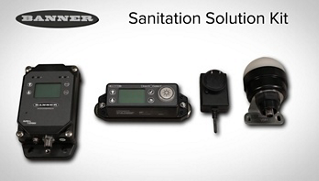
Sanitation Solution Kit
Banner Engineering offers a simple, flexible, and effective solution for an office area cleaning program. Operators work as normal and receive an indication when it is time to clean the space.

Wireless Call for Parts, Services, and Pick-Up Solution
Learn how to improve communication and maintain a steady workflow with Banner Engineering's wireless call for parts solution.
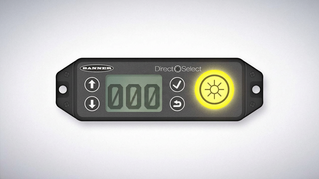
Direct Select
Add two-way communication and operator guidance capabilities anywhere you need it using the Direct Select™ wireless operator interface. This versatile device combines a three-digit display, high-visibility status indication, and multiple input controls in one battery-powered device.
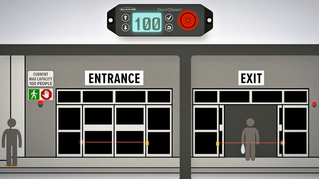
Store Capacity Tracking
Creating a safe environment for customers and staff is essential for retail establishments. Wireless technology can be used to support social distancing initiatives by making it easy to monitor and control the number of customers inside a store.